
What is KiCAD Prism
KiCAD Prism is an open-source, self-hosted platform for teams that design in KiCad and keep their projects in Git. KiCad stays the editor and Git stays the source of truth. Prism adds what happens around them: browsing any revision in the browser, reviewing changes with comments, building and signing off release packages, and running a component library that desktop KiCad places parts from.
It runs on your own hardware. No design data leaves your network unless you publish it.
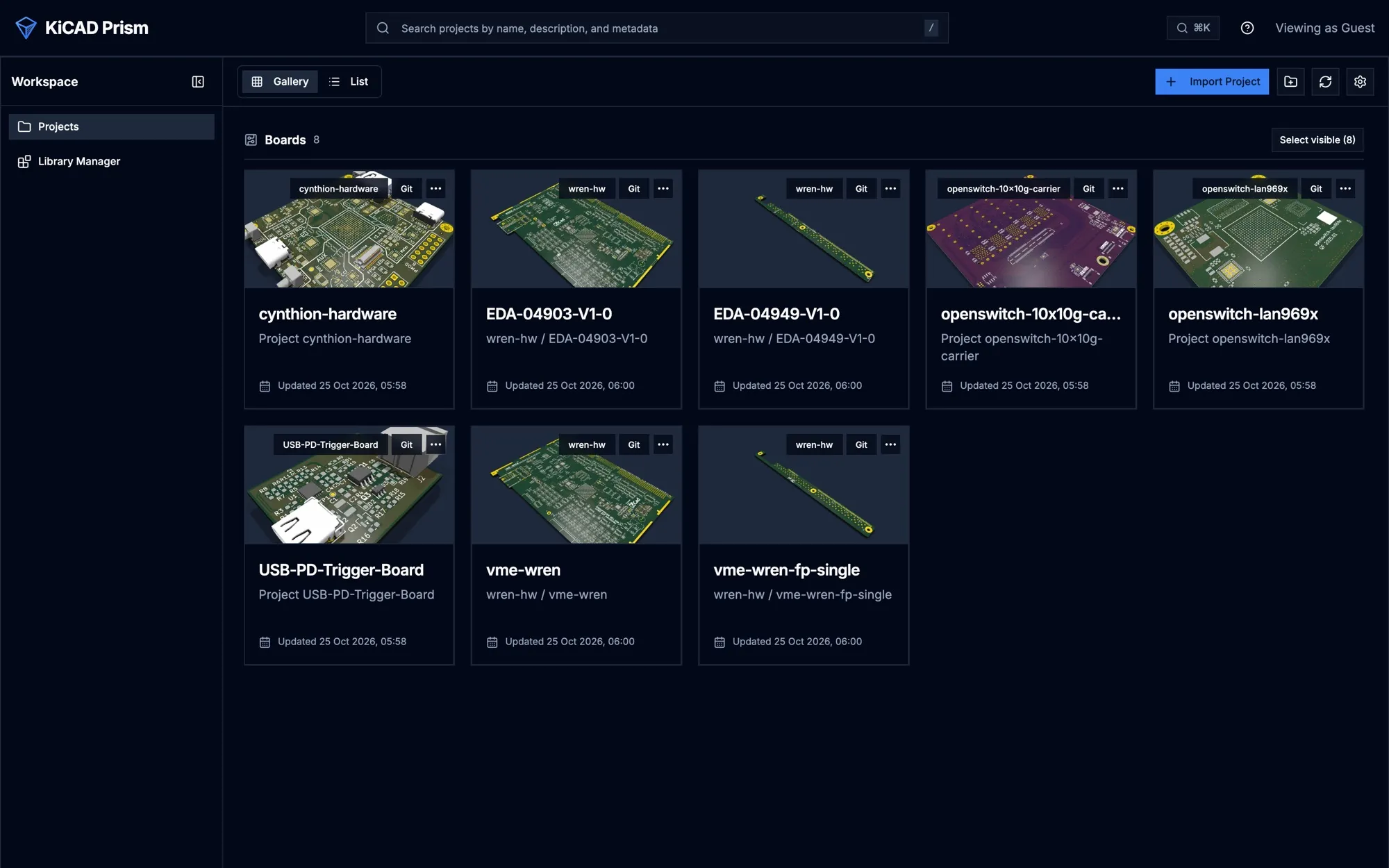
Browse and review any revision
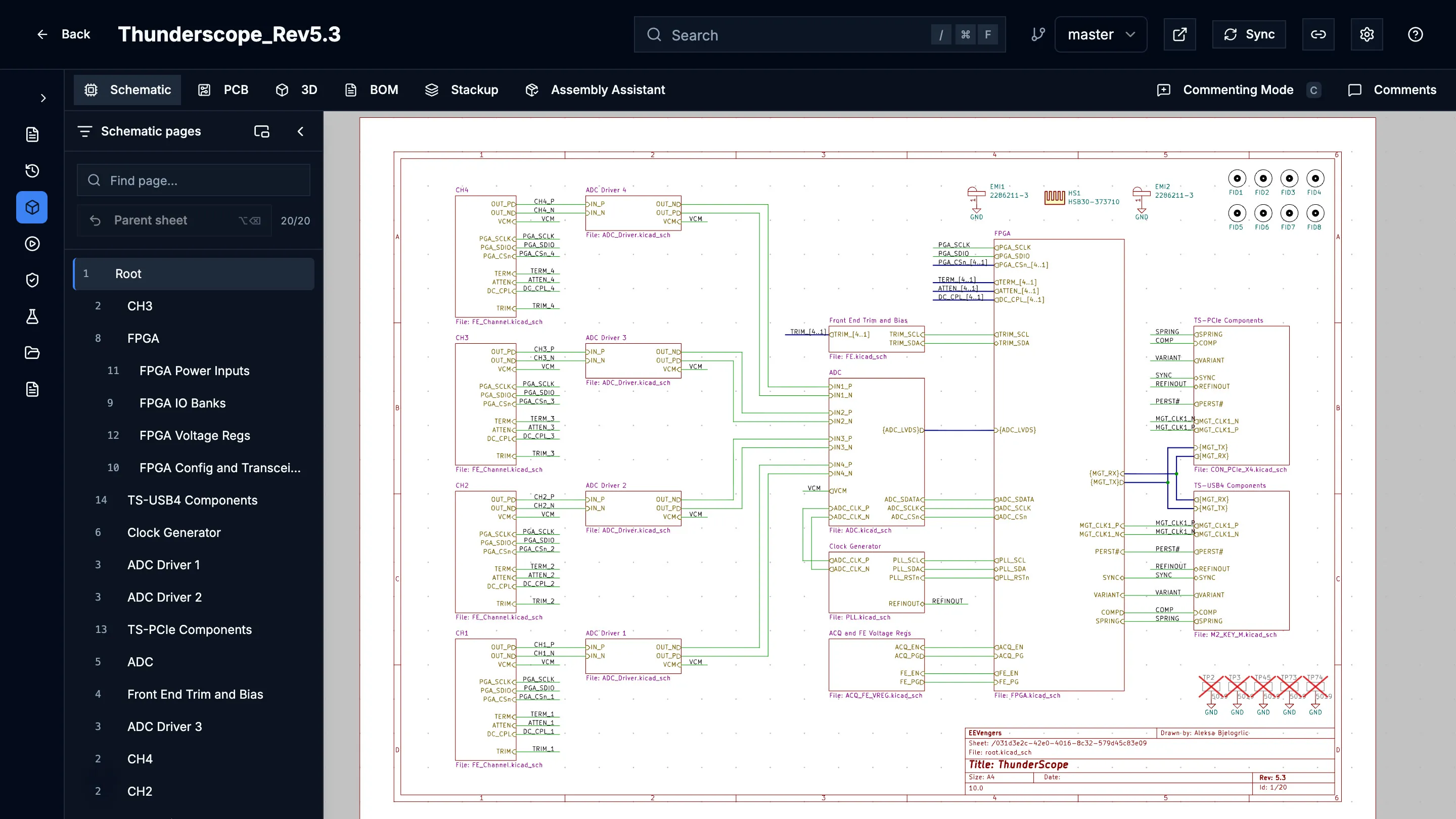
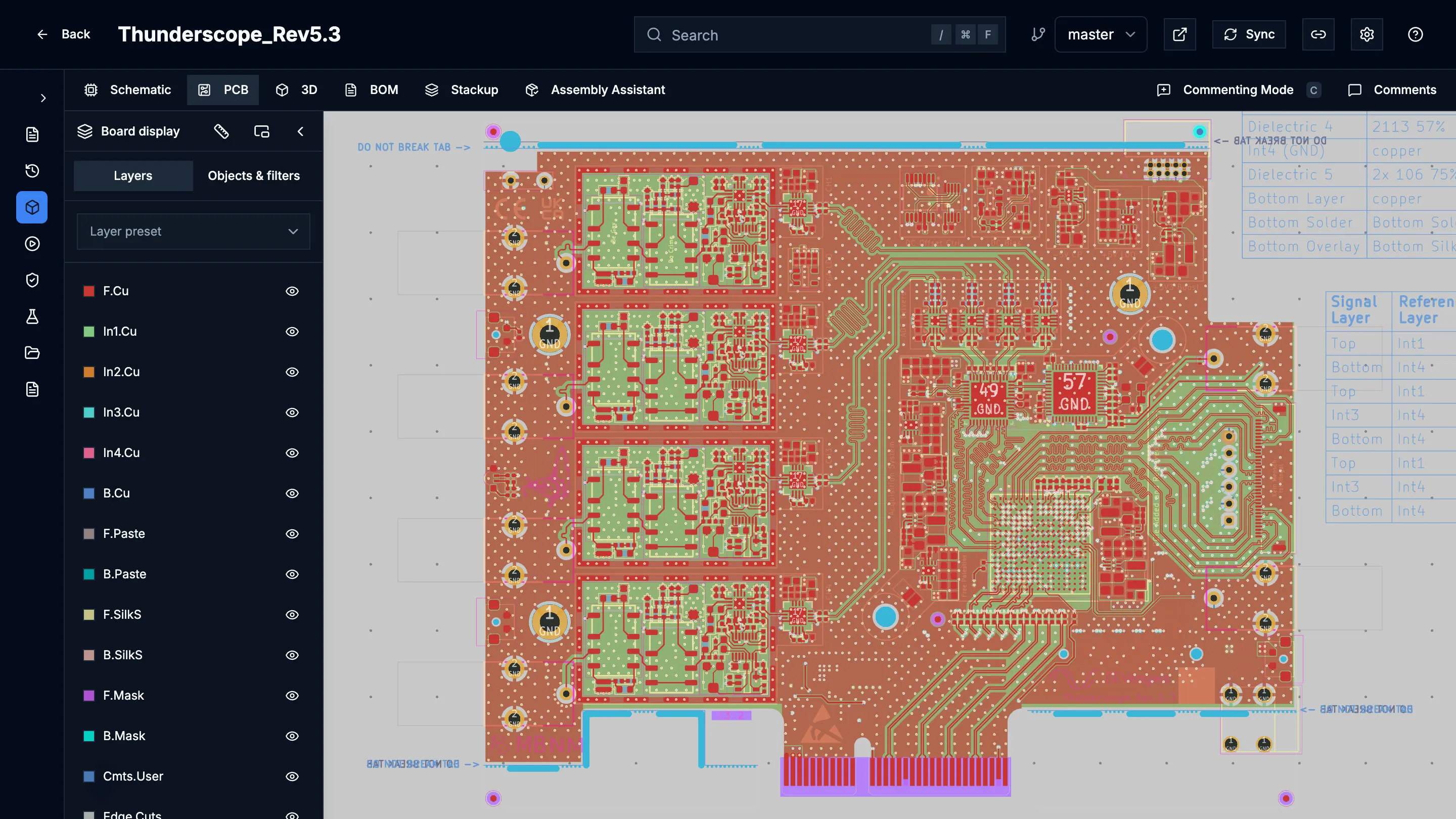
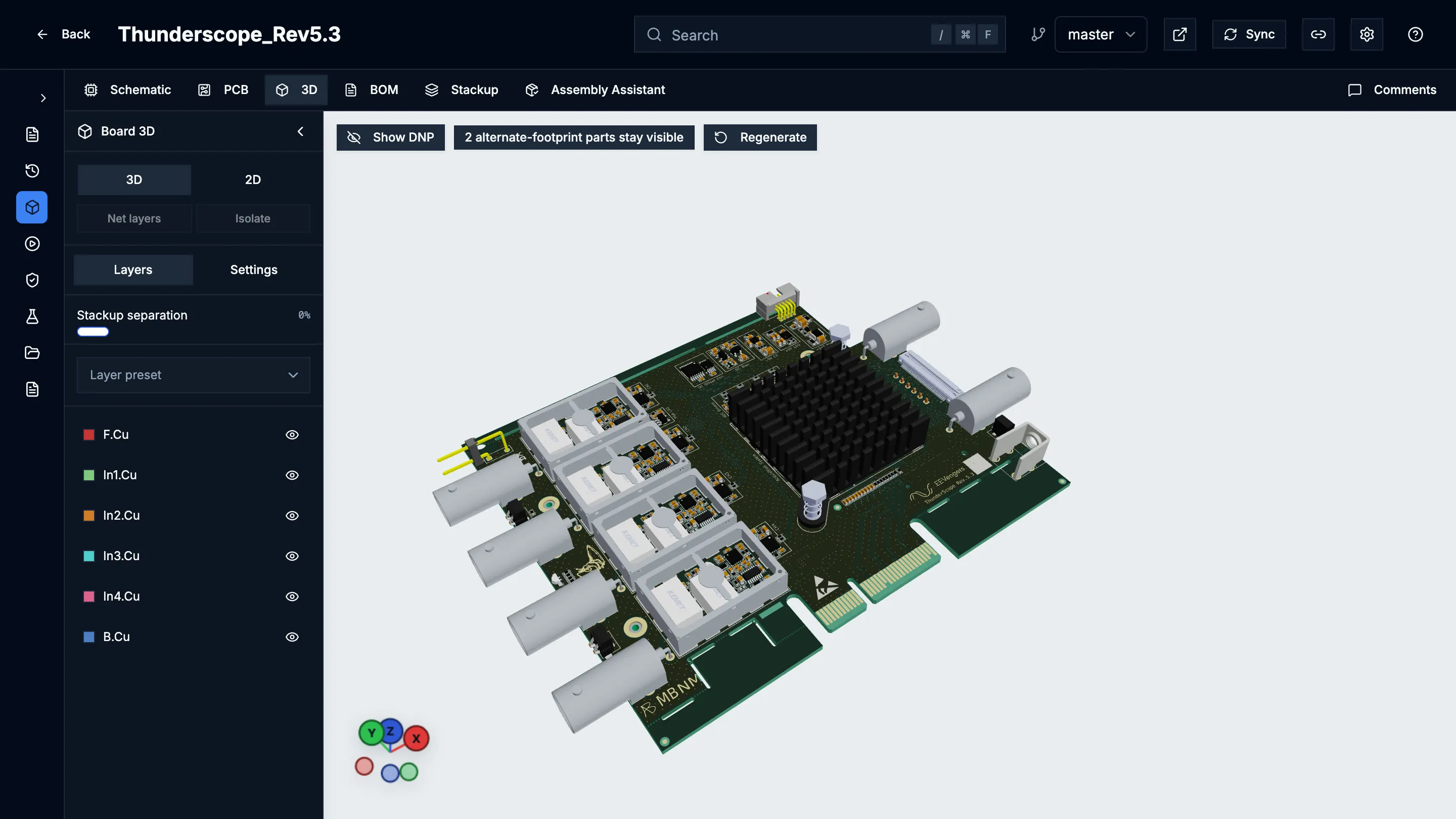
Section titled “Browse and review any revision”Import a project from any SSH or HTTPS Git remote, including repositories that hold several boards. Every branch, commit and tag opens in schematic, PCB, 3D, BOM and stackup views, with cross-probing between them.
| Schematic | PCB | 3D |
|---|---|---|
 |
 |
 |
- Insets open a live view of the other document from any pin or pad, and chain from there.
- Net highlighting follows one net across schematic, PCB and 3D, with its routed length, layers, tracks and vias. In 3D you can isolate a net to see only its copper.
- Comments anchor to a sheet, part or area on the revision they were written on. They take rich text, pasted snips and attachments, update live for everyone viewing, and can be published as GitHub or GitLab issues.
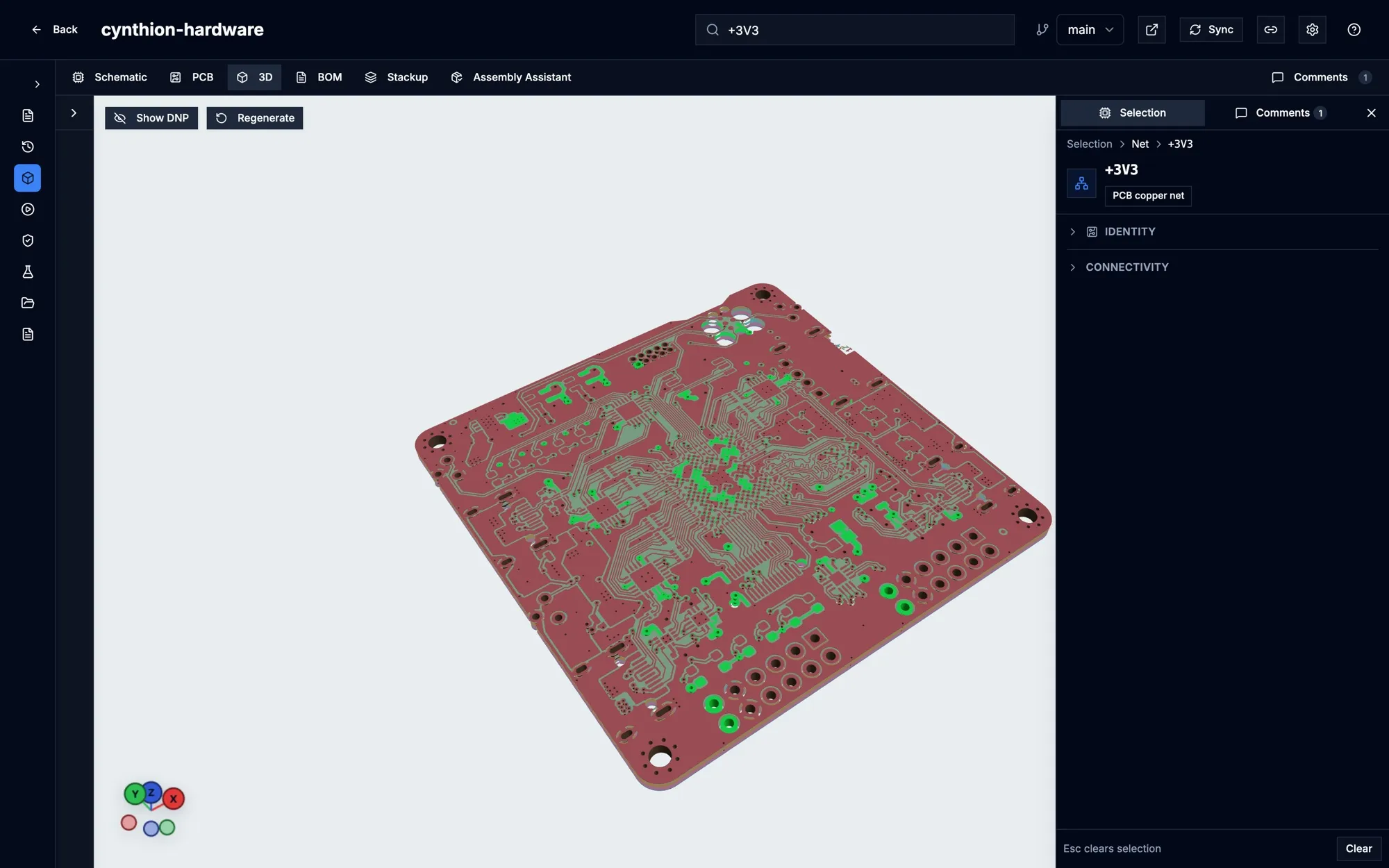
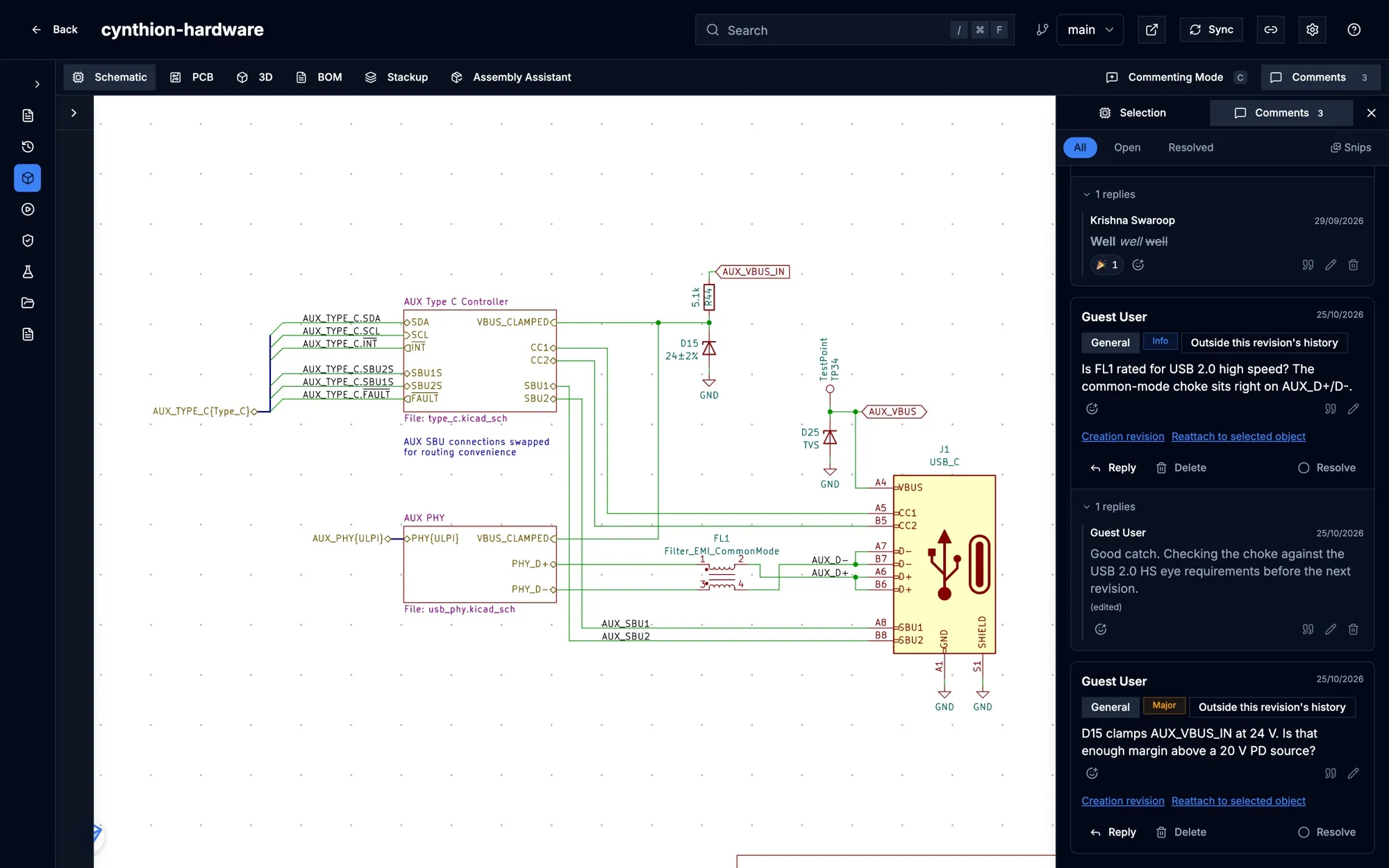
Prism reads each revision once, in the background, with its own KiCad parser, and keeps the result as the revision’s design data. The newest commits on each branch and every tag are prepared ahead of time, so they open without waiting. See Design data.
Compare revisions
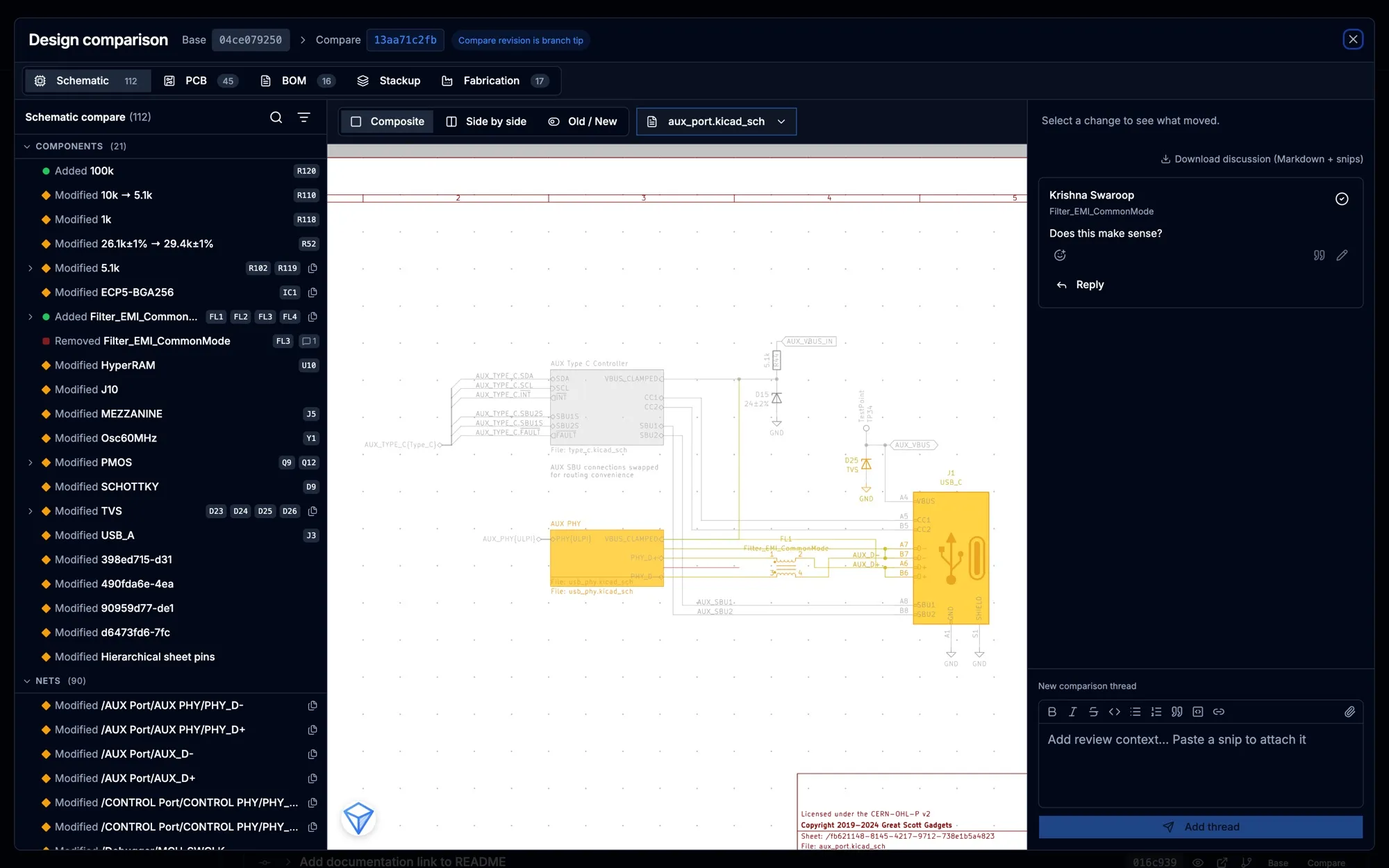
Section titled “Compare revisions”Design Comparison lists what changed between any two revisions in the schematic, PCB, BOM, stackup and fabrication outputs, highlights each change on the sheet, and keeps the review discussion beside it.
Release a board
Section titled “Release a board”Release Studio takes a committed revision through source, identity, manufacturing, build, outputs and publish. It builds fabrication and assembly files, PDF documents and manufacturer packs, shows the Gerbers in the browser, records DRC and ERC evidence with a designer and a QA sign-off, and publishes the approved package to GitHub or GitLab Releases.
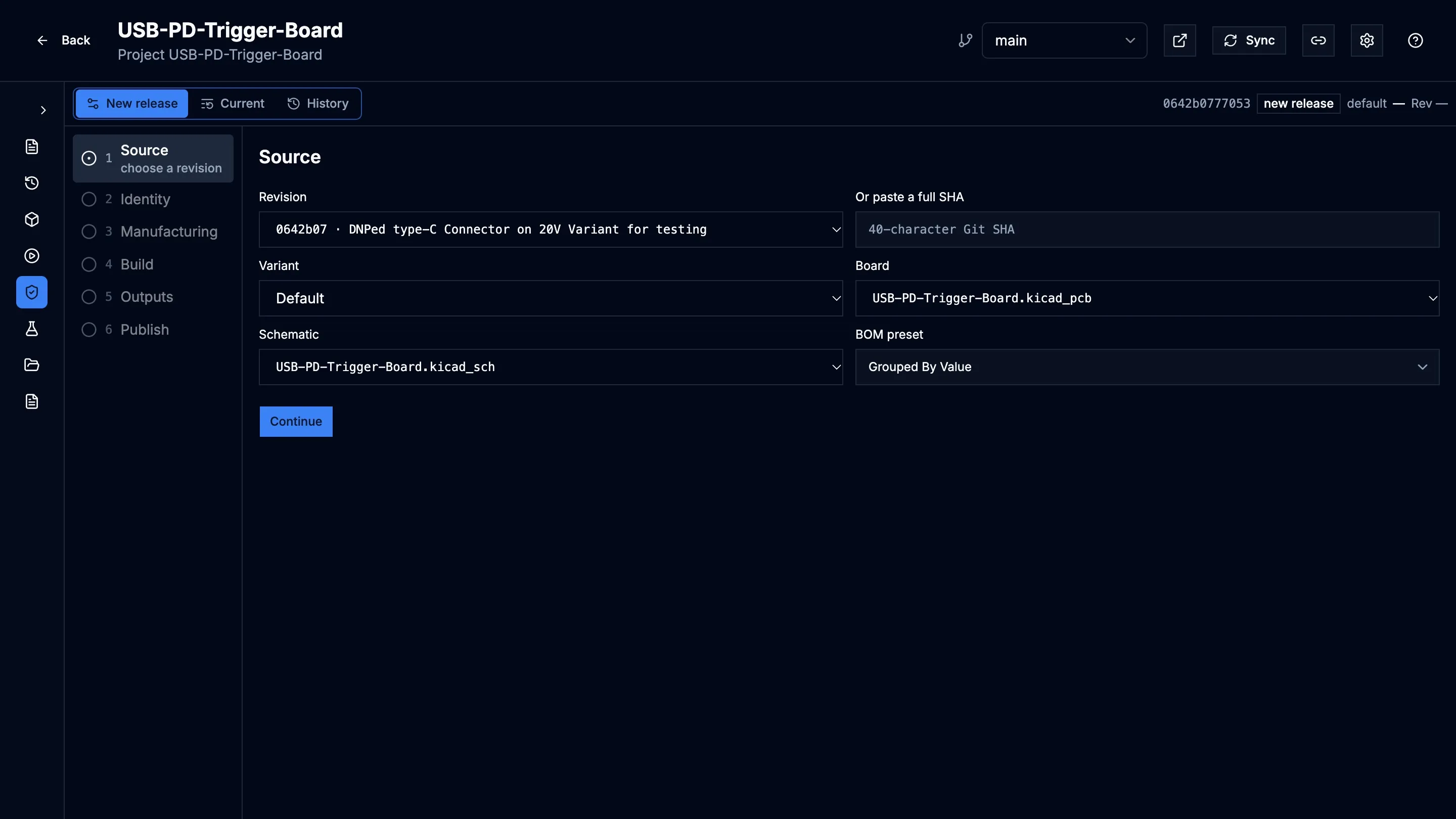
See Release Studio.
Govern components
Section titled “Govern components”Library Manager is a component catalog with immutable revisions, reusable symbol, footprint, 3D and SPICE assets, optional KiCad Library Convention checks and a QA release flow. You can import components from library folders or from the parts your projects already use.
Released parts reach desktop KiCad through the Remote Symbol Provider, which places the exact catalog revision with its 3D models embedded, or through a generated KiCad database library.
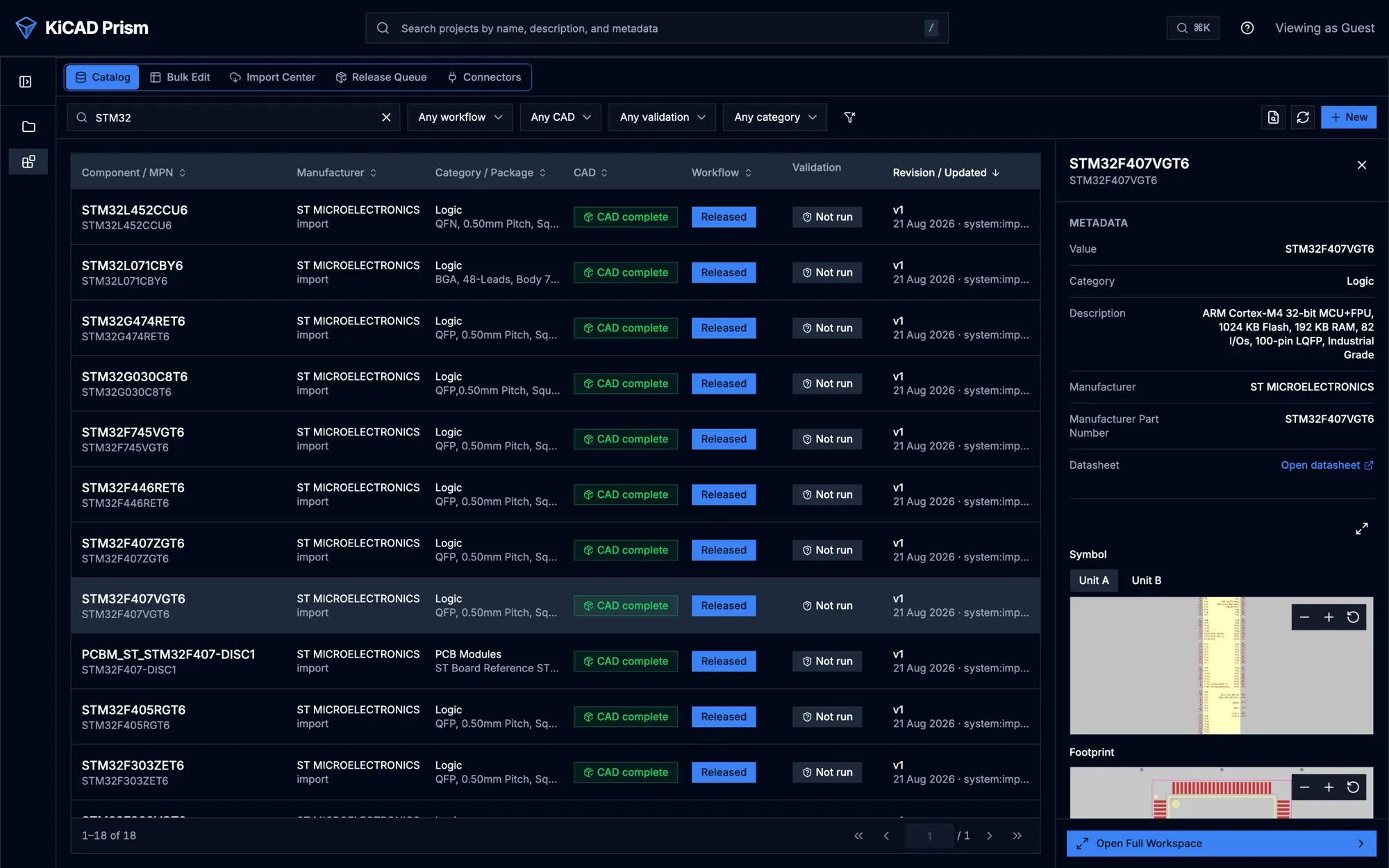
See Library Manager and Place parts in desktop KiCad.
Automate it
Section titled “Automate it”Everything a person can do in the browser, short of a sign-off, a script can do too:
- an HTTP API with an OpenAPI document, authenticated with personal access tokens;
- a Python SDK and a
prismcommand-line tool; - an MCP server, so an AI assistant can read designs, leave comments and start jobs as the signed-in user;
- outbound webhooks, and CI templates that review every pull request.
Tokens act with their owner’s role and cannot approve releases, resolve comments or perform catalog QA. See Automation overview.
Also included
Section titled “Also included”- Workflows and the Assets Portal run the project’s KiCad jobset and keep its outputs. A Documentation tab shows the Markdown kept in the project.
- Design variants, with the effective BOM and DNP parts for each.
- Sign-in with OIDC single sign-on or local passwords, and four roles: viewer, designer, QA and admin.
- Simulation Studio (experimental, off by default): DC IR drop on a revision’s board.
What Prism does not do
Section titled “What Prism does not do”- Prism is not an editor. You change designs in KiCad and push them to Git; Prism never edits your design files.
- It has no real-time multi-user editing.
- One installation is one workspace. It is not a multi-tenant service.
- A user has exactly one role. You cannot combine, for example, designer and QA on one account.
- Mentions in comments are recorded but send no email or inbox notification.
- Issue publication covers GitHub and GitLab. Gitea and Forgejo can be linked as accounts, but issues are not published to them.
- Prism does not hold a pull request’s approved or changes-requested state. Keep the final approval in your Git host or change-management system.
How it runs
Section titled “How it runs”Prism is a set of Docker containers: a web frontend, an API server, two background workers and PostgreSQL. Your imported repositories, generated files and Prism’s Git SSH key live in two directories next to the Compose file. The published images are for Linux on AMD64.
See Concepts for how the pieces fit together, and Deployment for a shared installation.